

Download 22tracks – Free Global Music Discovery App
Overview
22tracks is a free, cross‑platform app designed for music lovers who crave fresh sounds from every corner of the globe. Curated playlists are built by passionate creators living in cultural hot‑spots such as Berlin, Tokyo, Lagos, and Buenos Aires. Each playlist blends contemporary hits, underground gems, and timeless classics, giving users an eclectic mix that feels both familiar and surprising.
While the core library is free to stream, the platform respects artists’ livelihoods by offering a simple “purchase track” button that lets listeners support their favorite creators directly. This model ensures that the app can keep expanding its catalog without compromising on quality or legality. Whether you’re planning a house party, looking for background music while you work, or simply want to discover the next song that will become your personal anthem, 22tracks delivers a hassle‑free experience.
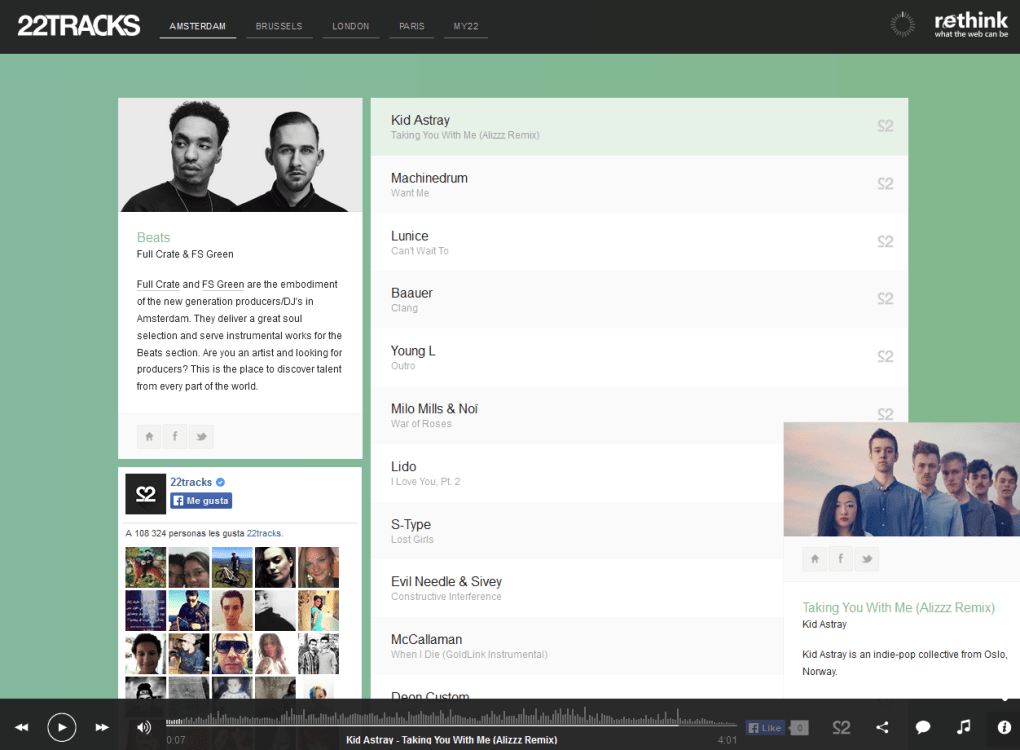
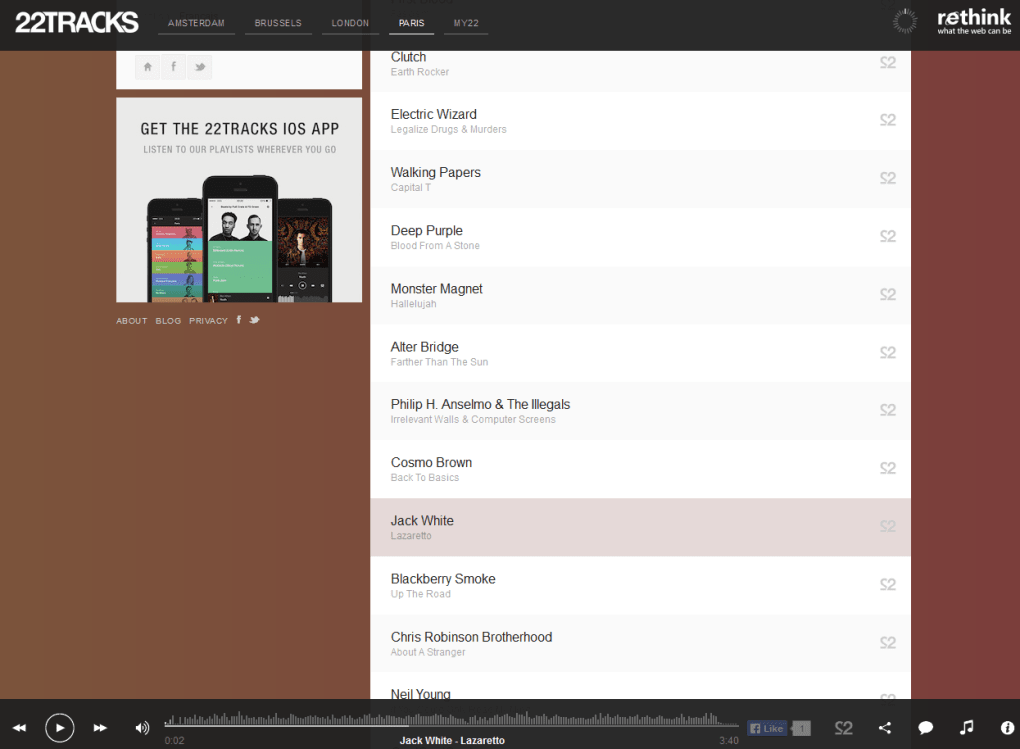
The UI is clean, navigation is intuitive, and new tracks are added daily, so you’ll always have something new waiting at the tip of your fingers. In short, 22tracks transforms the endless sea of internet music into a curated, user‑friendly voyage that celebrates diversity, creativity, and the universal love of rhythm.
Key Features
- Globally Curated Playlists: Playlists are hand‑picked by local DJs and music enthusiasts from major cities worldwide, guaranteeing authentic regional flavor.
- Daily Updates: New tracks and playlists are added every 24 hours, keeping the library fresh and encouraging regular listening sessions.
- Free Streaming & Secure Purchases: All songs can be streamed at no cost; users can also purchase individual tracks to support artists directly through a secure payment gateway.
- Offline Listening: Download your favorite playlists for offline playback, perfect for travel or limited‑connectivity environments.
- Smart Party Mode: An auto‑mix feature that transitions tracks smoothly, letting you set the vibe without constantly changing songs.
- Cross‑Platform Sync: Your library, likes, and playlists sync seamlessly across Windows, macOS, Android, and iOS devices.
- Personalized Recommendations: An AI‑driven engine suggests tracks based on your listening habits, ensuring you never miss a hidden gem.
- Community Interaction: Comment on playlists, follow favorite curators, and share tracks on social media with a single tap.
Installation, Usage & Compatibility
Getting Started
Downloading 22tracks is straightforward. Visit the official website or your device’s app store, click “Download,” and follow the on‑screen prompts. Windows and macOS users will receive an installer (.exe or .dmg) that guides you through a typical setup wizard. Android and iOS users simply tap “Install” and the app appears on the home screen within seconds.
First‑Run Experience
Upon launching the app, you’ll be greeted with a brief tutorial that highlights the main navigation: Home (featured playlists), Discover (regional collections), Library (saved tracks), and Profile (settings & purchases). Creating an account is optional; however, signing in unlocks cloud sync, personalized recommendations, and the ability to purchase tracks. The interface employs large album art thumbnails, swipe‑able cards, and a minimalistic bottom navigation bar that works comfortably on both smartphones and desktop monitors.
Operating System Support
22tracks runs natively on Windows 10/11, macOS 10.15 and later, Android 8.0 and above, and iOS 13 and later. The developers maintain separate codebases for each platform, ensuring optimal performance and adherence to each OS’s design guidelines. System requirements are modest: a minimum of 2 GB RAM, 200 MB of free storage for the app itself, and an active internet connection for streaming.
Usage Tips
To maximize your experience, enable “Background Play” in settings so music continues when you switch apps. Use the “Download” button on any playlist to store songs offline; the app automatically removes them after 30 days of inactivity to conserve space. If you discover a track you love, tap the “Buy” icon to purchase it instantly—your payment details are encrypted and never stored on the device.
Pros, Cons, FAQ & Final Verdict
Pros & Cons
- Pros:
- Completely free streaming with optional purchases.
- Constantly updated, globally curated playlists.
- Offline download capability.
- Cross‑device synchronization.
- Intuitive UI suitable for all ages.
- Cons:
- Limited genre coverage; heavy focus on indie and world music.
- No built‑in lyric viewer.
- Ads may appear in the free version (non‑intrusive).
Frequently Asked Questions
Is 22tracks really free?
Yes, you can stream all playlists without paying. Purchasing tracks is optional and only needed if you want to own a song.
Can I use 22tracks offline?
Absolutely. Select any playlist and tap the download icon. The songs will be stored locally for up to 30 days without an internet connection.
How do I support the artists?
Each track has a “Buy” button. Purchasing a song sends the revenue directly to the creator through a secure payment processor.
Is there a limit to how many songs I can download?
The app allows unlimited downloads, but it automatically clears songs that haven’t been played for 30 days to free up space.
Does 22tracks work on smart TVs?
A dedicated TV app is in development. For now, you can cast from Android or iOS devices using built‑in Chromecast or AirPlay support.
Review Summary
22tracks delivers a refreshing alternative to mainstream streaming giants. Its global curation, free‑to‑listen model, and straightforward purchase option create a balanced ecosystem that benefits listeners and artists alike. While the genre range could be broader and ad‑free listening would be a welcome upgrade, the app’s strengths—especially the daily fresh playlists and offline mode—make it a must‑try for anyone hungry for musical discovery.
Conclusion & Call to Action
If you’re looking for a free, secure way to explore new sounds from every continent, 22tracks is the answer. Its seamless cross‑platform experience, regular content updates, and ethical support for creators set it apart in a crowded market. Click the download button below to install 22tracks on your preferred device and start your global music adventure today!



.png)



